
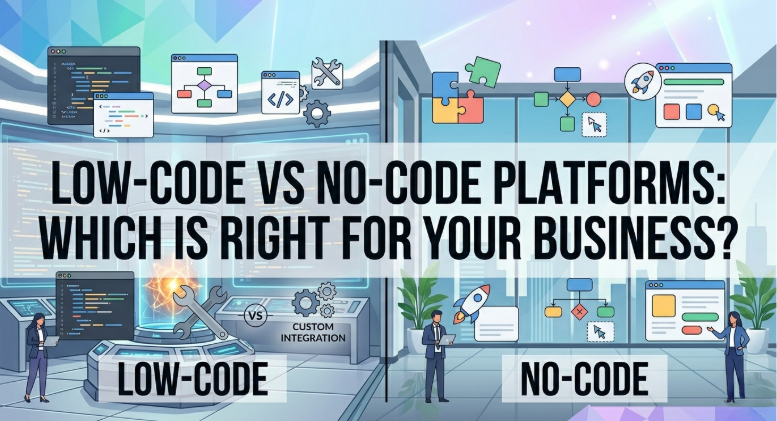
Low-Code vs No-Code Platforms: Which Is Right for Your Business?
Introduction
Businesses today face increasing pressure to innovate faster.
Customers expect digital experiences, employees require efficient tools, and organizations need solutions that can adapt quickly to changing market demands.
Traditionally, developing business applications required extensive coding expertise, significant budgets, and lengthy development cycles.
However, low-code and no-code platforms are changing how organizations build and deploy digital solutions.
These platforms allow businesses to create applications, automate workflows, and improve processes with significantly less development effort.
As a result, organizations can deliver solutions faster while reducing dependency on traditional software development resources.
For businesses in Saudi Arabia pursuing digital transformation, understanding the differences between low-code and no-code platforms is essential for selecting the right approach.
What Are Low-Code Platforms?
Low-code platforms provide visual development environments that reduce the amount of manual coding required to build applications.
Developers use drag-and-drop components, templates, and prebuilt integrations while still having the ability to write custom code when necessary.
Low-code platforms are designed to accelerate application development without eliminating developer involvement.
Typical Uses
Business applications
Customer portals
Workflow automation
Mobile applications
Internal operational tools
Benefits
Faster development
Reduced coding requirements
Greater flexibility
Easier maintenance
Improved scalability
What Are No-Code Platforms?
No-code platforms allow users to build applications without writing code.
These platforms are designed for business users rather than professional developers.
Using visual interfaces, workflows, and templates, non-technical teams can create functional applications and automate processes independently.
Typical Uses
Forms and surveys
Approval workflows
Simple databases
Task management systems
Internal business tools
Benefits
Minimal technical knowledge required
Faster deployment
Reduced development costs
Greater business-user involvement
Key Differences Between Low-Code and No-Code
Technical Skills
Low-Code
Requires some technical expertise.
Developers may need to create custom integrations, business logic, or advanced functionality.
No-Code
Designed for non-technical users.
Most functionality is built through visual interfaces without programming knowledge.
Flexibility
Low-Code
Offers greater customization and flexibility.
Organizations can create more complex applications and integrate with a wider range of systems.
No-Code
Provides limited customization compared to low-code platforms.
Best suited for simpler business applications.
Scalability
Low-Code
Typically supports enterprise-scale applications more effectively.
No-Code
Ideal for smaller projects and departmental solutions.
Large-scale applications may eventually outgrow platform limitations.
Development Speed
Low-Code
Significantly faster than traditional development.
No-Code
Often even faster for simple projects because coding is eliminated entirely.
Benefits of Low-Code Platforms
Accelerated Development
Applications can be built in weeks rather than months.
Organizations respond more quickly to business requirements.
Reduced Development Costs
Development teams spend less time writing repetitive code.
This improves productivity and reduces project costs.
Better Collaboration
Business users and developers can work together more effectively using visual development tools.
Improved Innovation
Organizations can experiment with new ideas more quickly.
This supports continuous improvement and digital transformation initiatives.
Benefits of No-Code Platforms
Empowering Business Users
Departments can create solutions independently without waiting for IT resources.
Faster Process Improvement
Simple workflows and applications can be implemented quickly.
Lower Barriers to Entry
Organizations do not require extensive technical expertise to begin building digital solutions.
Cost Efficiency
Many no-code solutions are affordable and easy to deploy.
When to Choose Low-Code
Low-code platforms are often the best choice when:
Complex business logic is required
Multiple system integrations are needed
Scalability is important
Security requirements are advanced
Enterprise applications are being developed
Examples include:
Customer portals
Employee self-service platforms
Operational management systems
Enterprise workflow automation
When to Choose No-Code
No-code platforms are often ideal when:
Business users need rapid solutions
Requirements are relatively simple
Limited budgets exist
Development resources are unavailable
Quick deployment is critical
Examples include:
Internal approval workflows
Data collection forms
Departmental applications
Basic automation projects
Common Use Cases
Workflow Automation
Both low-code and no-code platforms help automate repetitive tasks such as:
Approvals
Notifications
Data updates
Document routing
Customer Service Applications
Organizations can create portals that improve communication and support experiences.
Employee Productivity Tools
Custom applications can streamline internal operations and reduce manual effort.
Reporting and Dashboards
Visual dashboards help organizations monitor performance and make informed decisions.
Challenges to Consider
Governance
As more employees create applications, organizations should establish governance policies.
This ensures consistency, security, and compliance.
Security
Applications often handle sensitive information.
Security requirements should be evaluated carefully.
Integration Complexity
Some platforms provide stronger integration capabilities than others.
Organizations should assess compatibility with existing systems.
Long-Term Scalability
Applications may grow over time.
Businesses should consider future requirements before selecting a platform.
How to Choose the Right Platform
Evaluate Business Requirements
Identify:
Complexity
User needs
Security requirements
Integration requirements
Consider Internal Skills
Organizations with technical resources may benefit more from low-code platforms.
Business-led initiatives may be better suited to no-code solutions.
Think Long-Term
Choose a platform that supports future growth and digital transformation objectives.
Start Small
Pilot projects help organizations evaluate capabilities before broader adoption.
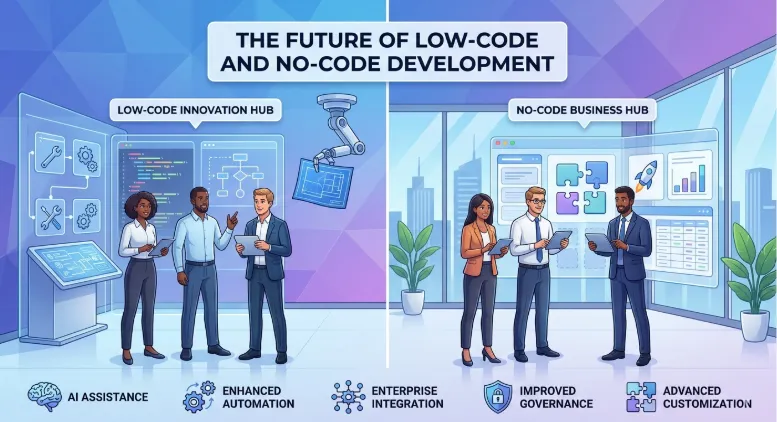
The Future of Low-Code and No-Code Development
Low-code and no-code technologies continue to evolve rapidly.
Future developments will likely include:
AI-assisted application development
Enhanced automation capabilities
Greater enterprise integration
Improved governance features
More advanced customization options
These platforms are expected to play an increasingly important role in digital transformation strategies.
Key Takeaways
✓ Low-code platforms reduce coding requirements while supporting advanced customization.
✓ No-code platforms enable business users to create applications without programming knowledge.
✓ Both approaches accelerate digital transformation and process improvement.
✓ Low-code is generally better for complex enterprise applications.
✓ No-code is ideal for simple workflows and rapid business solutions.
✓ Governance and security remain important considerations.
✓ Organizations should align platform selection with business goals and future requirements.
Frequently Asked Questions
Q: What is the difference between low-code and no-code?
A: Low-code platforms require limited coding and support greater customization, while no-code platforms allow application development without programming knowledge.
Q: Which is better for large organizations?
A: Low-code platforms are generally better suited for enterprise-scale applications due to their flexibility and scalability.
Q: Can no-code platforms replace developers?
A: No. No-code platforms empower business users but do not eliminate the need for professional developers in complex projects.
Q: Are low-code platforms secure?
A: Yes, when implemented properly and governed according to organizational security policies.
Q: Can organizations use both approaches?
A: Absolutely. Many businesses use no-code solutions for simple departmental needs and low-code platforms for enterprise applications.
Conclusion
Low-code and no-code platforms are helping organizations accelerate innovation, reduce development costs, and respond more quickly to business needs.
The right choice depends on complexity, scalability requirements, available skills, and long-term objectives.
For many businesses, the most effective strategy is not choosing one over the other but leveraging both where they deliver the greatest value.
As digital transformation continues to accelerate, organizations that embrace these technologies will be better positioned to innovate, improve efficiency, and remain competitive.
Softriva helps businesses evaluate, implement, and optimize low-code and no-code solutions that support growth, automation, and digital transformation.
Book Your Free Digital Transformation Consultation at softriva.com.


